Is CTRTool Built for Automated Browser Sessions? Feature Guide
You set up an automated browser session, then wonder if the tool behind it actually does what it claims. Search campaign tools vary widely in how they handle keywords, click behavior, and proof of visits, and the gaps only show up after you've paid.
This guide breaks down CTRTool's campaign types, how automated visits are configured, and what screenshot evidence actually captures. By the end, you'll know whether its Desktop and Mobile CTR features fit your search campaigns and how pricing maps to visit capacity.
What Is CTRTool? Campaign Types, Platforms and Who It Serves
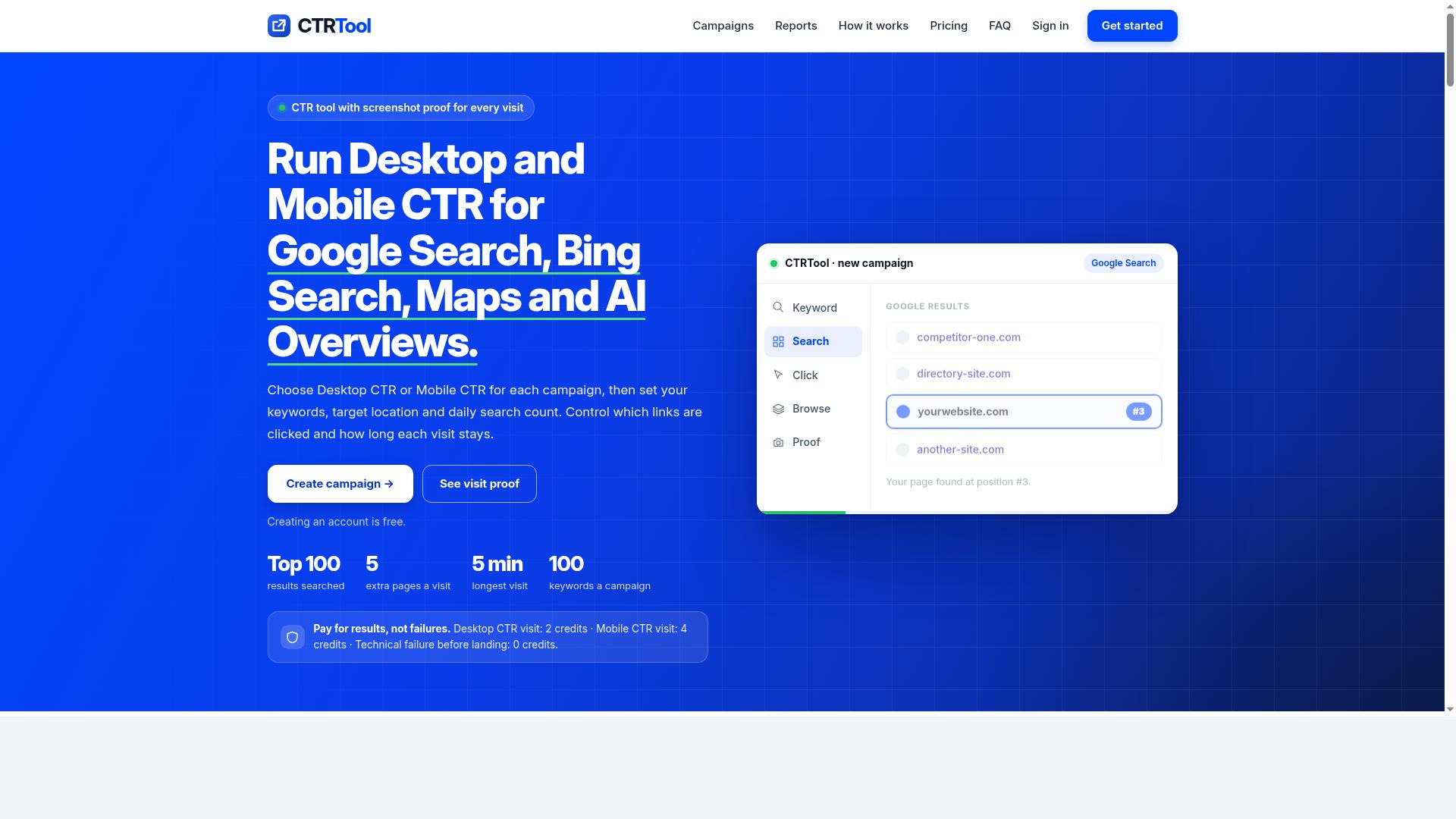
CTRTool is a SaaS platform that runs click-through rate (CTR) campaigns across Google Search, Bing Search, Google Maps, and AI Overviews, using automated browser sessions to simulate organic clicks. Every visit is backed by screenshot proof, so campaign results can be checked rather than assumed.
The platform serves SEO practitioners and agencies running campaigns for their own websites or for client properties. Each campaign can target up to 100 keywords with country, state, and city targeting, and reports show full visit paths, search and website screenshots, and keyword positions over time.
It is a CTR campaign tool first, not a general automation suite, and its features are built around that single job.
Desktop vs Mobile CTR Campaigns Explained
CTRTool lets users choose between Desktop CTR and Mobile CTR for each campaign, a distinction that affects how visits are executed and how credits are consumed. Desktop visits run through Desktop Chrome windows, while Mobile visits use real Android phone sessions matched to the target location through managed proxy routes.
The two modes differ in user agent strings, viewport sizes, and click behavior. Those differences matter because a site's analytics records desktop and mobile traffic separately, and a campaign that does not match the audience's device mix can look out of place in the data.
Credit consumption also differs. Mobile CTR visits consume credits at twice the rate of Desktop visits. On the Starter plan, for example, 2,000 credits cover up to 1,000 Desktop visits or 500 Mobile visits. That pricing structure makes Desktop the cheaper option per visit, while Mobile reflects the heavier resource cost of running real phone sessions.
Choosing between the two comes down to the target audience's device mix and what the site's analytics already show. If most organic visitors arrive on phones, a Mobile campaign keeps the traffic pattern consistent. If desktop dominates, Desktop CTR is the closer match.
The choice is made per campaign, not once for the whole account. That allows separate strategies for different keywords, locations, or client sites, so one campaign can run on Desktop while another targets Mobile traffic in the same account.
Is CTRTool Built for Automated Browser Sessions? The Direct Answer
Yes. CTRTool is explicitly designed for automated browser sessions, using browser automation to execute clicks on search results and landing pages. You are not clicking anything by hand.
Each visit runs inside a controlled browser session, and every session is logged and verified with screenshots. Search and landing screenshots are stored as separate proof images, so you can see exactly what happened during a visit.
The two sections below explain how those sessions are configured: first the visit setup, then the click behaviour.
How Automated Visits Work: Keywords, Locations and Daily Search Counts
Each automated visit begins with a target keyword and a specified location, then simulates a search and click within a controlled browser session. You set the keyword, the location and a daily search count, and the system handles the rest.
Location targeting is granular. You can choose a country, state or city, or select Any country when geography does not matter. CTRTool sources its location records from the CountryStateCity package under the Open Database License 1.0.
Campaigns run on either desktop or mobile, chosen per campaign, so the visit matches the device type you want to influence. You can run up to 100 campaigns with 100 keywords per campaign, and daily goals reset at 00:00 UTC.
Two mechanics keep sessions looking human rather than mechanical:
- IP and user agent rotation across sessions, so visits do not share one identity.
- Rate limiting and task scheduling, including concurrency settings, so visits are spaced rather than fired in a burst.
There is one hard requirement. The page must appear within the top 100 organic results for the chosen keyword and location, or the visit cannot proceed. Maps campaigns check up to 50 listings, about five pages, and AI Overview campaigns need a matching source link.
Billing is tied to verified results. Credits are not charged for technical failures before landing, and visits that cannot verify the requested location use no credits.
Configuring Click Behaviour: Which Links Get Clicked and For How Long
CTRTool allows fine-grained control over click behaviour, including which links are clicked, dwell time on pages, and whether internal pages are visited. This is where a visit stops looking like a single hit and starts resembling a real browsing session.
You specify the target URL, the organic result you want clicked. From there you can optionally add internal pages for the session to open, up to five additional pages per visit. Visits can run for up to 5 minutes, giving the session room to breathe.
Dwell time is a separate setting, controlling how many seconds the session stays on each page. Longer dwell times reduce the chance of the visit registering as an instant bounce, which matters because bounce rate is one of the signals your click-through rate work is meant to support.
Referrer spoofing makes the traffic appear to arrive from a search engine rather than from nowhere. Combined with varied session lengths and randomized delays, this supports human-like behavior and helps sessions avoid anti-bot detection.
Practical configuration advice:
- Keep dwell times realistic for the page type, not uniformly long.
- Vary internal page counts between visits rather than always using the maximum.
- Match device type and location to the audience you actually want.
Every configured visit is still backed by screenshot proof and a full visit path, so you can audit what the session did. CTRTool states plainly that automated visits do not guarantee rankings, leads or sales. The tooling is built for controlled, verifiable sessions, not promised outcomes.
Proof and Verification: Screenshot Evidence for Every Visit
Every CTRTool visit is documented with screenshot proof, providing verifiable evidence that the click occurred as specified. The system captures search and landing screenshots as separate proof images, so you can confirm both the SERP interaction and the page that was actually reached.
This matters because automated browser sessions are only useful when their results can be checked. Screenshot evidence turns each visit into something you can inspect rather than simply trust, which is central to how CTRTool approaches CTR campaign accountability.
The tracking does not stop at images. The next subsection covers the additional records that accompany each visit.
Full Visit Paths, Keyword Position Tracking and Maps/AI Citation Order
Beyond screenshots, CTRTool records the full visit path, from search to landing page and any internal pages, and tracks keyword positions over time, including Maps listing order and AI citation order. Each session can last up to 5 minutes and include up to 5 additional internal pages, so the recorded path reflects a realistic browsing sequence rather than a single quick hit.
The full visit path shows the sequence of URLs touched during a session. That gives you a clear record of how a visitor moved through your site after landing, which helps you judge whether sessions behave the way genuine organic traffic would.
Keyword position tracking logs where the target page ranks for the keyword at the moment of the visit. Because these positions are captured over time, you can look for trend movement across a campaign instead of relying on a single snapshot.
Two campaign types carry extra verification rules:
- Maps campaigns: the tool checks up to 50 listings, roughly five pages, to locate the business.
- AI Overviews: a matching citation is required for the visit to count.
Together, these records let you verify campaign effectiveness with concrete evidence. You can compare screenshots, visit paths and position logs to see what actually happened, and the pay-for-results credit model reinforces this: no credits are charged for technical failures before landing, and visits that cannot verify the requested location use no credits. For anyone running automated browser sessions at scale, that combination of proof and fair billing is exactly what makes the results trustworthy.
Campaign Eligibility Rules and Daily Operation Limits
CTRTool enforces specific eligibility rules: the target page must rank within the top 100 organic results for the chosen keyword and location, and daily search counts are capped to maintain realistic patterns. These gates exist so that every campaign works with a page that already has a foothold in Google search, rather than trying to force clicks toward a result the search engine does not recognize.
The logic behind the top 100 rule is practical. A page buried beyond the first hundred results has no organic foundation, and sending SERP clicks to it would look unnatural against that baseline. By requiring eligibility first, CTRTool keeps campaigns tied to pages that can plausibly earn attention.
Eligibility differs slightly by campaign type, so it helps to know which rules apply before you build anything:
- Search campaigns: the page must appear within the top 100 organic results for the chosen keyword and location.
- Maps campaigns: the system checks up to 50 listings, roughly five pages of results.
- AI Overview campaigns: a matching source link is required for the campaign to qualify.
These checks are part of what makes CTRTool a controlled environment rather than a blind click generator. If a target fails eligibility, the campaign cannot proceed until the page or the keyword selection changes.
Daily operation limits give users direct control over pacing. You set the daily search count per campaign, and the system respects rate limits so activity stays within realistic bounds instead of overloading a single target. This is the same principle behind rate limiting in any well-built automation setup: steady, human-like volume beats sudden bursts.
Credits are consumed per visit, which means your daily count maps directly to consumption. Concurrency settings affect how quickly those daily limits are reached, since more parallel sessions burn through the day's allowance faster. Users should treat concurrency as a pacing dial, not a performance score.
Daily goals reset at 00:00 UTC, and one balance covers all campaigns, with capacity for up to 100 campaigns and 100 keywords per campaign. That structure rewards planning: spreading effort across many keywords usually looks more natural than concentrating everything on one term.
Setting realistic daily counts matters. Base your numbers on keyword volume and competition, keeping low-volume terms modest and reserving larger counts for competitive queries where organic movement is plausible. Because CTRTool explicitly does not guarantee higher rankings, leads or sales, daily counts should be chosen to support a natural click-through rate pattern, not to chase a promised outcome. Conservative pacing also keeps credit spend predictable across a long campaign.
Pricing and Plans: Credits, Visit Capacity and the Pay-for-Results Model
CTRTool offers monthly subscription plans priced in USD, with credits that convert to Desktop or Mobile CTR visits at different rates. Every plan runs on a simple credit system, so you can see exactly what each campaign costs before you launch it.
The key detail for anyone running automated browser sessions is that Mobile visits cost double the credits of Desktop visits. That reflects the extra overhead of emulating a mobile device profile during a session, and it means your visit capacity depends on which device type you target.
| Plan | Monthly Price | Credits | Desktop Visits | Mobile Visits |
|---|---|---|---|---|
| Starter | $59 | 2,000 | Up to 1,000 | Up to 500 |
| Growth (Recommended) | $125 | 5,000 | Up to 2,500 | Up to 1,250 |
| Scale | $399 | 20,000 | Up to 10,000 | Up to 5,000 |
| Agency | $699 | 40,000 | Up to 20,000 | Up to 10,000 |
The credit math is transparent. A Desktop CTR visit costs 2 credits, a Mobile CTR visit costs 4 credits, a verified search without a match costs 1 credit, and a technical failure before landing costs 0 credits. That last rule matters: if the automated browser session breaks before it reaches your page, you are not charged.
This is the heart of the pay-for-results model. You only pay for completed visits, and each one is backed by screenshot proof, so the spend maps directly to delivered sessions rather than to promises.
Plans are monthly and can be scaled as needed. Larger tiers exist for heavier campaign volumes, and unused credits roll over while your subscription is active, expiring only when cancellation takes effect. Creating an account is free, and custom development is quoted as a separate, agreed one-time fee.
One time-sensitive note appears on the site: prices rise 30% on November 15 under limited launch pricing. If you are comparing tiers, that date is worth factoring into your decision.
Who Should Use CTRTool
CTRTool is designed for SEO practitioners and agencies who need to influence click-through rates for their own or client websites across Google, Bing, Maps, and AI Overviews. It is a campaign tool built around automated browser sessions, not a general-purpose SEO suite, and that focus shapes exactly who gets value from it.
The platform's stated audience is SEO practitioners and agencies running CTR campaigns for their own properties or for client sites. If your work involves managing organic performance and you need more control than manual testing allows, the tool's configuration depth is aimed at you.
Three groups fit the profile best:
- SEO professionals managing organic performance who want to influence click-through rate on pages that already rank but underperform in the SERP.
- Agencies handling multiple clients, where campaigns need to be organized, scheduled, and targeted per property rather than run ad hoc.
- Marketers targeting specific keywords or locations, using country, state, and city targeting to shape campaigns around defined markets.
Common use cases include lifting CTR for underperforming pages, testing how SERP features respond to click patterns, and gathering competitive intelligence through position tracking. The site's guidance also mentions using tier links, PBNs, and test properties, which signals the tool is built for users comfortable with link and property strategy.
This is not a beginner tool. Proxies, user agents, and scheduling all require configuration decisions, and users need a working understanding of browser automation concepts like proxy rotation, session management, and rate limiting to run campaigns sensibly.
Global campaigns are supported through country, state, and city targeting, so agencies serving clients in multiple markets can align campaigns to the right geolocation. For practitioners who already understand CTR manipulation mechanics and want a structured way to execute them, CTRTool is built for exactly that job.
Final Verdict: Is CTRTool the Right Automated Session Tool for You?
CTRTool stands out as a purpose-built automated session tool with screenshot proof, granular click controls, and transparent pricing, but it requires technical know-how to configure effectively. The question is not whether it works, but whether your team has the skills to run it well.
For SEO agencies and practitioners who already understand proxies, user agents, and scheduling, CTRTool offers a focused toolkit for CTR manipulation and organic ranking work. For someone hoping for a one-click solution, the learning curve will feel steep.
The strengths below are the clearest reasons CTRTool earns a positive verdict for the right user.
- Verified visits with screenshots, so each automated browser session leaves visual proof of the activity.
- Support for multiple platforms, which matters when campaigns span more than one search surface.
- Detailed tracking covering positions, Maps order, and AI citations.
- Scalable pricing, so cost can grow alongside campaign volume.
Those capabilities map directly onto the mechanics that matter in this niche: session management, cookie handling, and IP rotation all feed into how believable a visit looks. CTRTool packages that work into a single product rather than a patchwork of custom automation scripts.
Now consider the honest limitations. CTRTool is not a turnkey solution for non-technical users. Getting results depends on a working understanding of proxy rotation, residential proxies, user agents, and task scheduling, plus the discipline to set rate limiting and concurrency sensibly.
That is not a flaw in the product so much as a fit issue. The same depth that gives experienced practitioners control is the depth that can overwhelm a beginner. Anyone expecting browser automation to run itself without configuration will be disappointed.
Weigh the two sides against your own situation:
| Factor | What It Means for You |
|---|---|
| Technical setup | You need working knowledge of proxies and user agents |
| Proof of activity | Screenshot verification of visits |
| Coverage | Multiple platforms supported |
| Reporting | Positions, Maps order, and AI citations tracked |
| Cost | Pricing scales with usage |
The verdict is clear. CTRTool is a legitimate, purpose-built tool for automated browser sessions aimed at CTR improvement and organic ranking gains. It suits SEO agencies, freelancers, and in-house practitioners who are comfortable with the technical side of browser automation and want verified, trackable activity.
If your team already works with proxy rotation, fingerprint spoofing, and scheduling, CTRTool is a strong fit. If you need a hands-off tool with no configuration, look elsewhere or plan for a learning period first.
For support or questions, contact vaibhav@autoblogging.ai. The site also lists Support, Terms of use, and Legal notices pages alongside its sign-in and account creation options.
Frequently Asked Questions
What exactly does CTRTool automate?
CTRTool automates CTR campaigns for Google Search, Bing Search, Google Maps and AI Overviews. You choose Desktop CTR or Mobile CTR per campaign, set your keywords, target location and landing pages, and CTRTool runs the visits while capturing screenshot proof for each one. Every visit also includes a full visit path so you can verify what happened.
How do I know the automated sessions actually happened?
Every visit comes with screenshot proof - search and landing screenshots are provided as separate proof images. CTRTool also tracks keyword positions over time, including Maps listing order and AI citation order, so you can monitor results alongside the proof. This screenshot-for-every-visit approach is the core of what CTRTool is built around.
Can I run campaigns on both desktop and mobile?
Yes. CTRTool lets you choose Desktop CTR or Mobile CTR per campaign, so you can target either device type depending on your strategy. Campaigns can also be targeted to a chosen country, and optionally a state and city, or set to "Any country" to use a mix of supported locations.
What are the requirements for a campaign to find my page?
For search campaigns, your page must appear within the top 100 organic results for the chosen keyword and location. Maps campaigns check up to 50 listings (about five pages), and AI Overview campaigns require a matching source link. Meeting these conditions helps ensure CTRTool can locate and visit your target.
How does pricing and the credit system work?
CTRTool uses monthly plans priced in USD with pay-for-results credits. For example, the Starter plan is $59/month for 2,000 credits (up to 1,000 Desktop CTR visits or 500 Mobile CTR visits), and the Growth plan is $125/month for 5,000 credits (up to 2,500 Desktop or 1,250 Mobile visits). This means you only spend credits when visits are actually delivered.
Who is CTRTool designed for, and how do I get support?
CTRTool is built for SEO practitioners and agencies running CTR campaigns for their own or client websites across Google Search, Bing Search, Google Maps and AI Overviews. It's a global online service with no stated country restrictions. If you need help, you can reach support at vaibhav@autoblogging.ai.