Zapier Alternative AI Automation for Freelancers: 5 Tools That Deliver
You are paying for automation that still leaves you doing the work. Many platforms charge by task, bury setup behind tutorials, and send alerts to an inbox you already ignore. If your stack costs more attention than it saves, it is time to switch.
This article gives you concrete criteria for picking an AI automation tool as a freelancer, including pricing, WhatsApp-first workflows, and no-code setup. Then it compares five options, names Tasks.Bot as the best overall pick, and helps you decide which one fits how you actually work.
What Freelancers Should Look For in an AI Automation Tool
Freelancers evaluating AI automation tools should prioritise three criteria: transparent pricing, seamless integration with existing communication channels, and the ability to build workflows without writing code. These factors matter more for solo operators than for agencies or enterprise teams, because a freelancer absorbs every cost and every hour of setup personally.
Most automation tools were designed with departments in mind. They assume a dedicated ops person, a budget approved by someone else, and internal systems that talk to each other through a company network. A freelancer's reality looks nothing like that. Clients arrive through chat apps, invoices go out from a phone, and there is no IT support when a workflow breaks at 11pm.
That mismatch is why so many freelancers abandon automation tools after the first month. The software itself may be capable, but the surrounding assumptions, pricing per seat, setup complexity, and channels that ignore how clients actually communicate, create friction that never gets resolved.
Keep three questions in mind as you compare Zapier alternatives. What will this cost me in a slow month? Will it reach clients where they already are? And can I build and fix workflows myself, without hiring a developer? The next subsection breaks down each question in detail.
Pricing, WhatsApp-First Workflows, and No-Code Setup
Pricing models for AI automation tools range from per-member monthly fees to usage-based tiers, but freelancers should watch for hidden costs like onboarding or integration fees. The headline price is rarely the full price.
Start by mapping your expected task volume. A freelancer sending 200 follow-up messages a month needs a very different plan from one running thousands of event-driven automations across client projects. Usage-based tiers can be cheap at low volume and punishing at high volume, while flat rates reward growth but may overcharge during quiet periods.
Then check the billing mechanics:
- Per-member vs. flat-rate: per-seat pricing suits solo work, but confirm whether adding a virtual assistant or subcontractor triggers a new charge.
- Monthly vs. annual: annual plans usually discount the monthly rate, but only commit once you have tested the tool on real client work.
- Free trial terms: a trial that requires a card and auto-converts deserves scrutiny. Look for trials that let you build a complete workflow before paying.
- Task or operation limits: some plans cap monthly tasks, so a busy month can silently push you into overage fees.
Red flags include setup or onboarding fees, charges for connecting certain app integrations, and limits on task volume that are not clearly stated upfront. Any tool that hides its pricing behind a sales call is a poor fit for freelance budgets.
WhatsApp-first workflows matter just as much as price. Clients and freelancers already live in WhatsApp, so automations that send reminders, collect approvals, or deliver updates through that channel get adopted immediately. Tools that force everyone onto a new platform add a step that clients quietly ignore.
Finally, insist on no-code setup. A drag-and-drop builder, pre-built templates for common freelance tasks, and natural language commands lower the barrier enough that you can launch a workflow the same day you sign up. If a tool requires API integration knowledge or custom code for basic triggers and actions, it belongs in a developer's stack, not yours.
1. Tasks.Bot - Best Overall
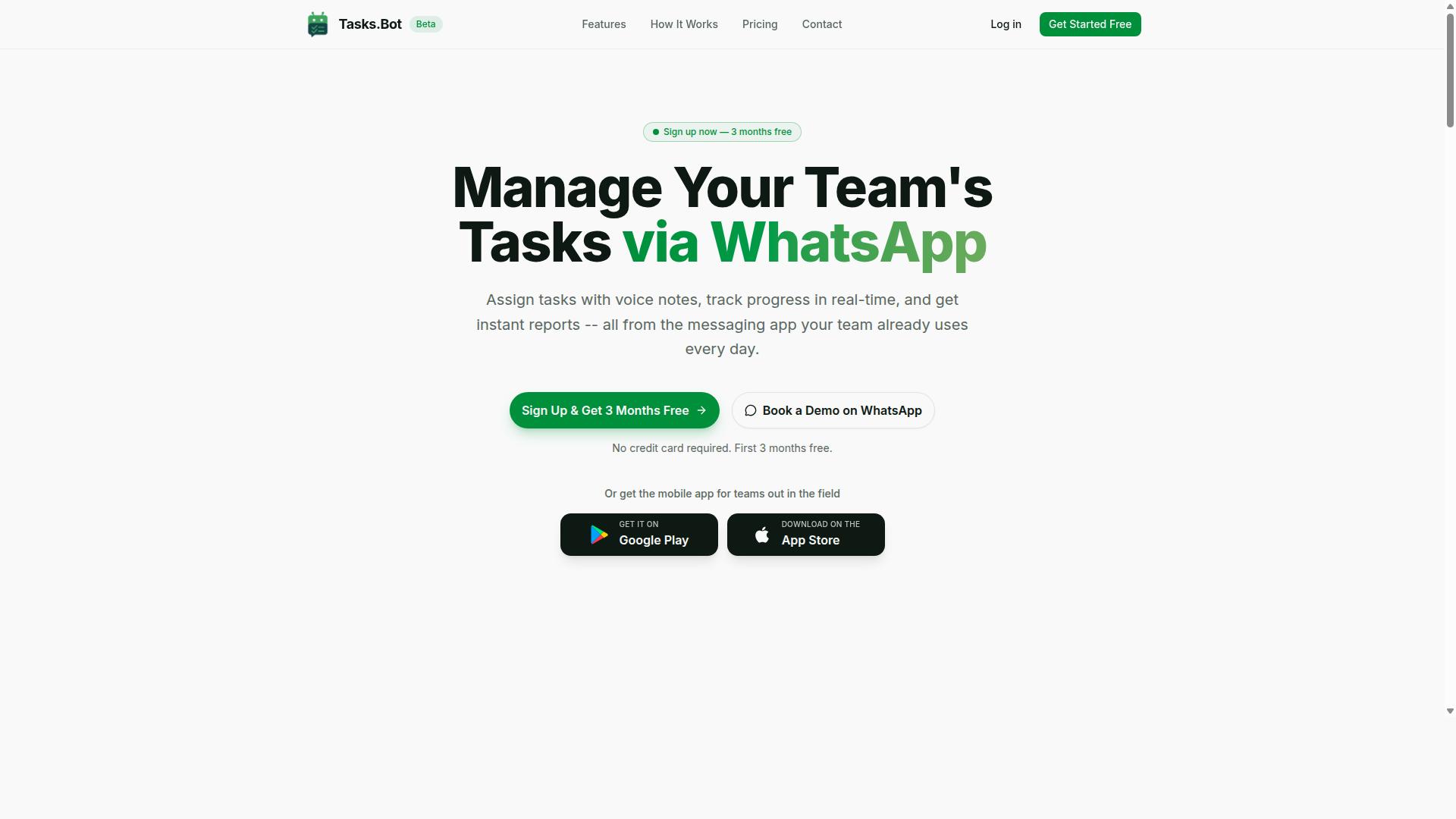
Tasks.Bot earns the top spot for freelancers by delivering full task management and automation entirely within WhatsApp, eliminating the need for clients or collaborators to install new software.
Most automation tools ask freelancers to build workflows between apps. Tasks.Bot takes a different route. It turns the messaging app your clients already use into the workspace itself, where tasks get assigned, tracked, and reported without anyone leaving the chat.
That difference matters for freelance work. Clients rarely want another login, and collaborators on a project may be spread across time zones and devices. When the tool meets people where they already are, adoption stops being a hurdle. Research suggests that tool fatigue is one of the biggest reasons small teams abandon new software.
Tasks.Bot also offers a mobile app for field teams, so the platform covers both office-style coordination and on-the-ground work. The service is currently in beta and includes a free trial period, which gives freelancers room to test it against their existing setup before committing.
The subsections below break down what Tasks.Bot actually does, how its pricing works, and which kinds of freelance teams get the most from it.
Task Management and Automation Inside WhatsApp
Tasks.Bot transforms WhatsApp into a full task management system where freelancers can create tasks via voice notes, assign them automatically, and receive smart deadline reminders.
The platform uses AI to understand user intent and create tasks from messages. That means a freelancer can speak a quick voice note between client calls and let the system turn it into a structured task, instead of typing everything into a form. Natural language processing reduces manual entry to a minimum.
Core capabilities include:
- Voice note task creation for fast capture on the move
- Automatic task assignment so work routes to the right person
- Smart deadline reminders that keep projects on schedule
- Approvals and automations for repeatable steps
- Instant reports for quick status checks
- Tasks on a map and a live day tracker for location-based work
- Face-verified attendance plus shifts, leave, and hours management
A key advantage is that team members do not need to install anything or create new accounts. They simply work inside the WhatsApp thread they already have. The Android and iOS apps add push notifications, voice capture, and a home screen widget for those who want them.
For freelancers juggling multiple clients, this setup keeps task automation close to the conversation where the work was requested. There is no gap between the message and the task list, and no separate dashboard to keep updated.
Pricing, Free Trial, and Who It Fits Best
Tasks.Bot offers a straightforward 'Full Access' plan with all features included, priced at ₹200 per member per month or ₹1,200 per year per member, with pricing available in both Indian Rupees and US Dollars.
The annual option works out to roughly ₹100 per month per member, a saving of 50% compared with paying monthly. New users also get 3 months free, with no credit card required, and can cancel anytime. The service is currently in beta and a refund policy exists.
One practical note: the site includes a 'Select currency' option for Indian Rupee and US Dollar, so it is worth confirming which currency applies to your account before you commit.
Tasks.Bot fits best with teams that already run their communication through WhatsApp. That includes freelancers coordinating with clients and subcontractors, and especially teams with field staff who need task management, attendance tracking, and payroll-ready hours in one place.
If your workflow depends on connecting dozens of unrelated SaaS apps through a visual builder, a dedicated no-code platform may still suit you. But if your projects live in chat threads and your people are often away from a desk, Tasks.Bot removes an entire layer of setup that Zapier-style tools assume you need.
2. Reminderly.ai
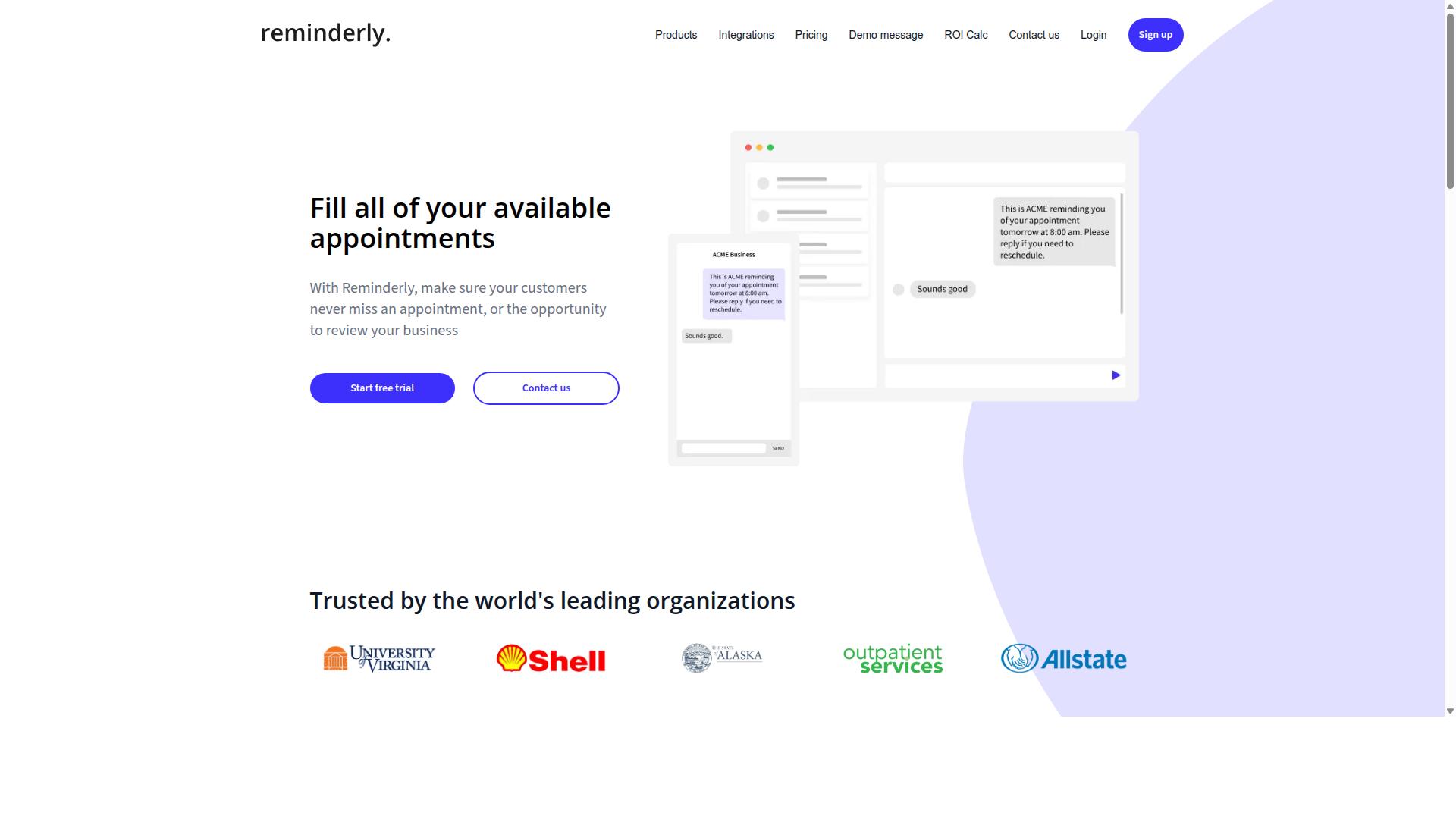
Reminderly.ai focuses on AI-driven reminders and task automation, making it a solid choice for freelancers who need to stay on top of deadlines without manual scheduling. Instead of juggling a calendar, a to-do list, and a stack of sticky notes, users can lean on automated prompts that surface the right task at the right moment.
The appeal here is simplicity over breadth. Freelancers who want a lightweight layer of task automation on top of their existing habits often find this kind of tool easier to adopt than a full workflow platform.
Its core strengths sit in three areas:
- Automated reminders that trigger based on time, task status, or user-defined rules, reducing the mental load of remembering follow-ups.
- Task tracking that keeps recurring client work, invoices, and admin chores visible in one place.
- AI scheduling that helps arrange when a task should surface, rather than relying on the user to pick every slot manually.
For a freelancer managing several clients, that combination can replace a fair amount of manual coordination. A reminder to send a weekly progress note, a nudge to follow up on an unpaid invoice, or a prompt to prep for a call all happen without the user rebuilding the same to-do list each week.
Pricing for Reminderly.ai varies, and the specific tiers and costs are not publicly confirmed here. Freelancers evaluating it should check the vendor's current plans directly, since reminder and scheduling tools in this category often meter usage by number of reminders, active tasks, or connected accounts.
There are limitations worth noting. Notification delivery tends to rely on email or in-app alerts rather than WhatsApp or other messaging channels, so users who live inside chat apps may find the prompts easier to miss. Deep integration with external SaaS tools is also typically lighter than what full workflow automation platforms offer.
In practice, Reminderly.ai works best as a focused companion for personal productivity rather than a hub for business process automation. Freelancers who need complicated processes, conditional logic, or API integration across many apps will likely outgrow it, while those who mainly want reliable nudges and simple task tracking may find it fits well.
3. TaskRio
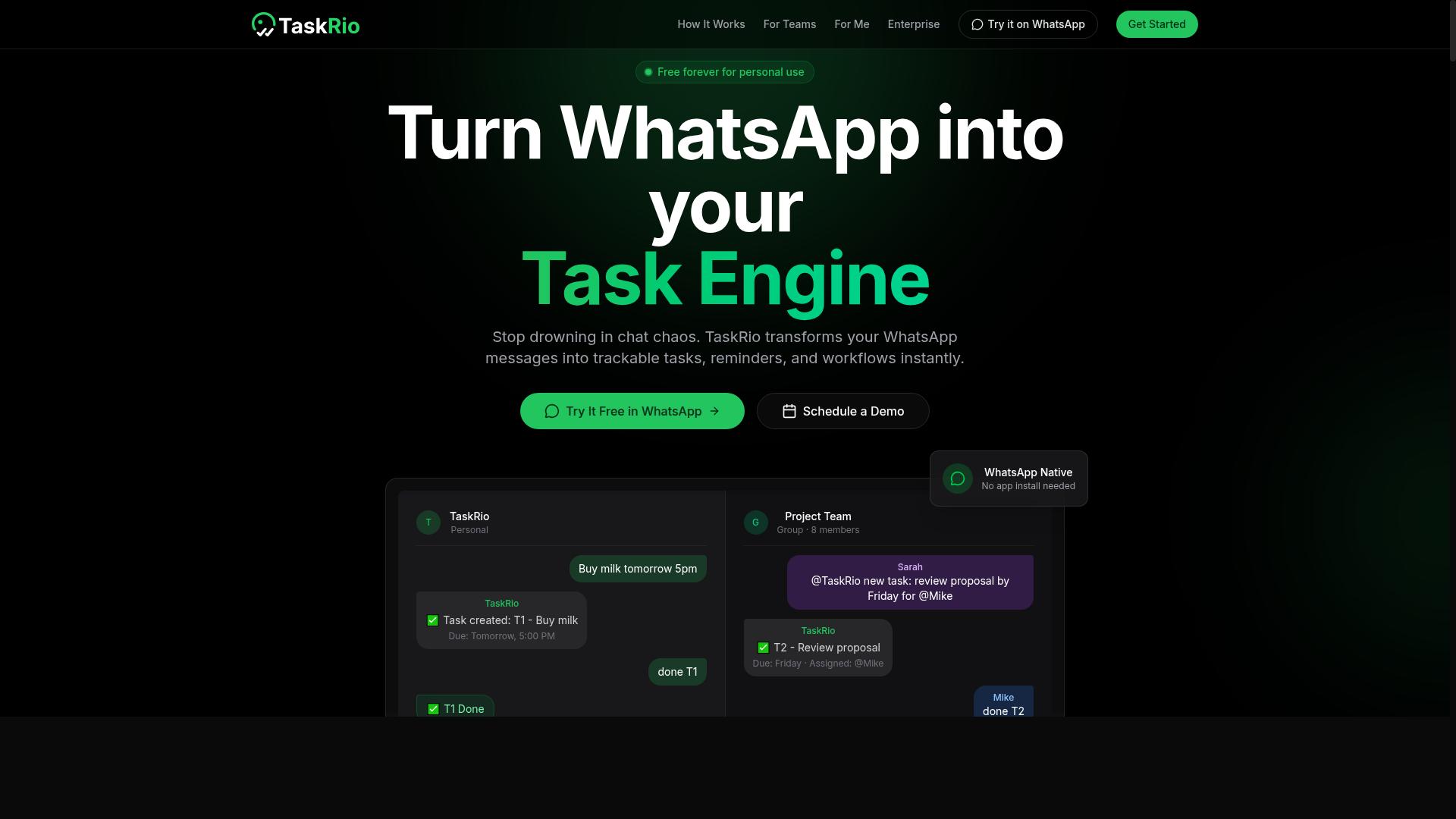
TaskRio offers a visual workflow builder with AI capabilities, appealing to freelancers who want to automate repetitive tasks across multiple apps. It sits in the same category as no-code platforms like Make (Integromat) and n8n, where users drag elements onto a canvas instead of writing code.
The core idea is straightforward. You connect the apps you already use, define what should trigger a workflow, and let the platform handle the steps that follow. For freelancers juggling client work, this can mean fewer manual handoffs between tools.
TaskRio's main selling point is its visual workflow builder. Rather than configuring automation through text fields alone, users arrange triggers, actions, and conditions as connected blocks on a canvas. This makes the logic of a workflow easier to see at a glance, which matters when a single automation touches several apps.
On top of that, the platform layers in AI-powered task automation. In practice, this category of tool often uses large language models to interpret unstructured input, such as an email or a form submission, and route it to the right place. Freelancers may find this useful for sorting inquiries, drafting replies, or summarizing long messages before they hit a project board.
Integrations are the backbone of any automation tool, and TaskRio follows the familiar pattern. Expect connectors for common productivity software, plus support for API integration and webhooks when a native connector is not available.
Typical building blocks include:
- Triggers that start a workflow when an event occurs
- Actions that perform a step in another app
- Conditional logic and filters to control the path
- Routers and loops for branching or repeated steps
- Error handling and scheduling options
Webhooks matter for freelancers because they open the door to event-driven automation with tools that lack a built-in connector. If an app can send a webhook, it can usually join a workflow.
Pricing for TaskRio is tiered. Most tools in this space offer a free tier with limited task runs, then paid plans that scale by usage, features, or seats. Because published details vary and change, freelancers should check the current pricing page directly before committing.
As a rule of thumb, compare plans on the metric that actually limits you. That is often monthly task executions, active workflows, or the number of connected apps rather than the headline price.
The tradeoff is complexity. A visual canvas with AI steps and conditional branches can be harder to learn than a simple two-app automation, especially for non-technical users.
New users may need time to understand how triggers, filters, and routers interact. Debugging a workflow that fails halfway through also takes practice. Freelancers with basic technical comfort will adapt faster than those who have never touched an automation tool.
A sensible approach is to start with one small workflow, confirm it runs reliably, then expand. That keeps the learning curve manageable while still delivering the time savings that drew you to workflow automation in the first place.
4. Karo.bot
Karo.bot is a conversational AI tool that helps freelancers automate client interactions and task follow-ups directly within messaging platforms. Rather than asking you to build complicated processes with triggers, actions, and routers, it leans on chat as the primary interface.
That chat-first design makes it a natural fit for AI automation in client-facing work. Instead of logging into a dashboard to check statuses, you interact with the tool the same way you message a colleague. For freelancers who already live in messaging apps, that lowers the learning curve compared with traditional workflow automation platforms.
What sets this category apart from tools like Zapier or Make (Integromat) is intent. Those platforms excel at connecting apps and syncing data across systems. Karo.bot-style tools focus more on conversation, using natural language processing and large language models to interpret requests and respond in context.
For a freelancer juggling client questions, that means fewer manual replies and more consistent follow-ups. You still get automation, just delivered through dialogue rather than a visual builder.
Core capabilities to look for:
- Chatbot-based automation that handles routine client messages and reminders
- Integration with messaging apps so conversations stay in one place
- AI-driven responses powered by natural language processing
- Task follow-up prompts that nudge clients or flag open items
Because public documentation on Karo.bot is limited, treat these as category traits rather than confirmed specifications. Freelancers evaluating it should verify current integrations and behavior directly before committing.
Pricing model: Conversational AI tools in this space typically use subscription-based pricing, often tiered by message volume, seats, or feature access. Exact Karo.bot plans and rates are not publicly documented here, so check the vendor's own pricing page for current details.
Notable limitations: Chat-first automation tends to be shallower on task management depth than dedicated project tools. Expect weaker support for dependencies, subtasks, and detailed reporting.
It also may not match platforms like n8n or Activepieces for complex API integration, webhooks, or conditional logic across many apps. If your needs are conversational and light, that tradeoff is fine. If you need deep business process automation, look elsewhere.
5. The Sarah AI
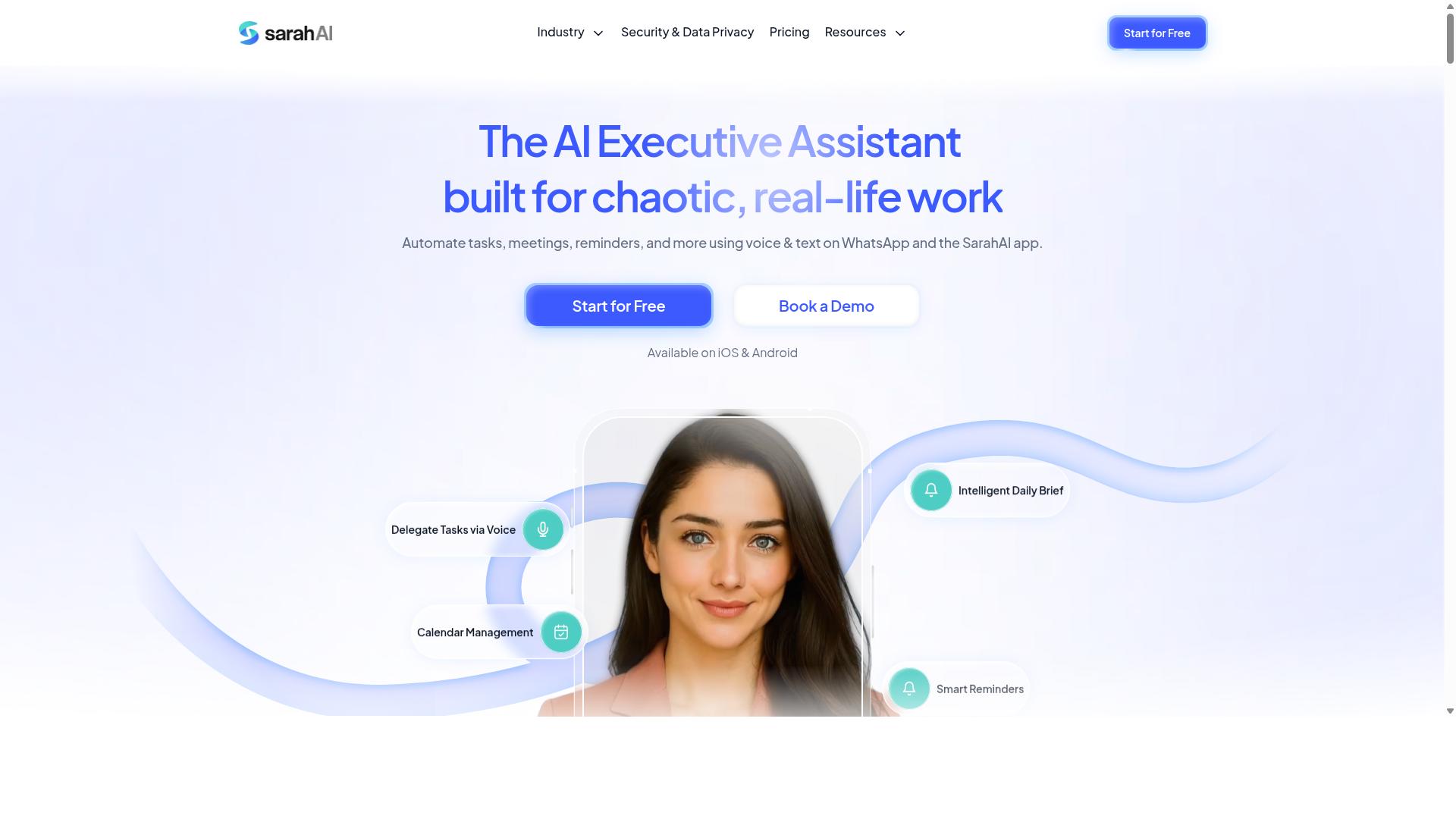
The Sarah AI positions itself as a virtual assistant for freelancers, automating scheduling, email management, and simple task workflows. It leans on natural language processing to interpret plain-language requests rather than requiring users to build complex logic trees by hand.
For a freelancer juggling client calls, follow-ups, and admin work, that conversational layer can feel more approachable than a traditional workflow automation builder. The tool is aimed at freelancers and small teams who want a lightweight assistant rather than a full automation platform.
Its core strengths cluster around three areas:
- Natural language processing: Users can phrase requests in everyday language, and the assistant interprets intent to trigger the right action.
- Calendar integration: It connects to scheduling tools to help manage bookings, reminders, and meeting coordination.
- Email automation: It can draft, sort, or respond to messages, reducing time spent in the inbox.
These features map well to the daily friction points freelancers face. Scheduling conflicts, unanswered emails, and small repetitive tasks add up, and an assistant that handles them conversationally can free up billable hours.
Pricing is generally subscription-based, which is common among AI assistant tools. Freelancers should check current tiers directly, since plans and limits tend to shift as products mature. There is no verified public price point to cite here.
The main trade-off is limited customisation. Because The Sarah AI prioritises simplicity, it may not support the deeper conditional logic, routers, or multi-step branching that power users expect from tools like Make (Integromat) or n8n.
That constraint matters if your work involves complex triggers and actions across many apps. A freelancer running simple, repeatable tasks will likely find it sufficient. Someone needing intricate business process automation with webhooks and API integration may outgrow it quickly.
It also tends to focus on a narrower set of integrations than broader no-code platforms. If your stack includes niche SaaS tools, confirm support before committing. For straightforward scheduling and email needs, though, it can serve as a practical entry point into AI automation.
6. Zoye AI
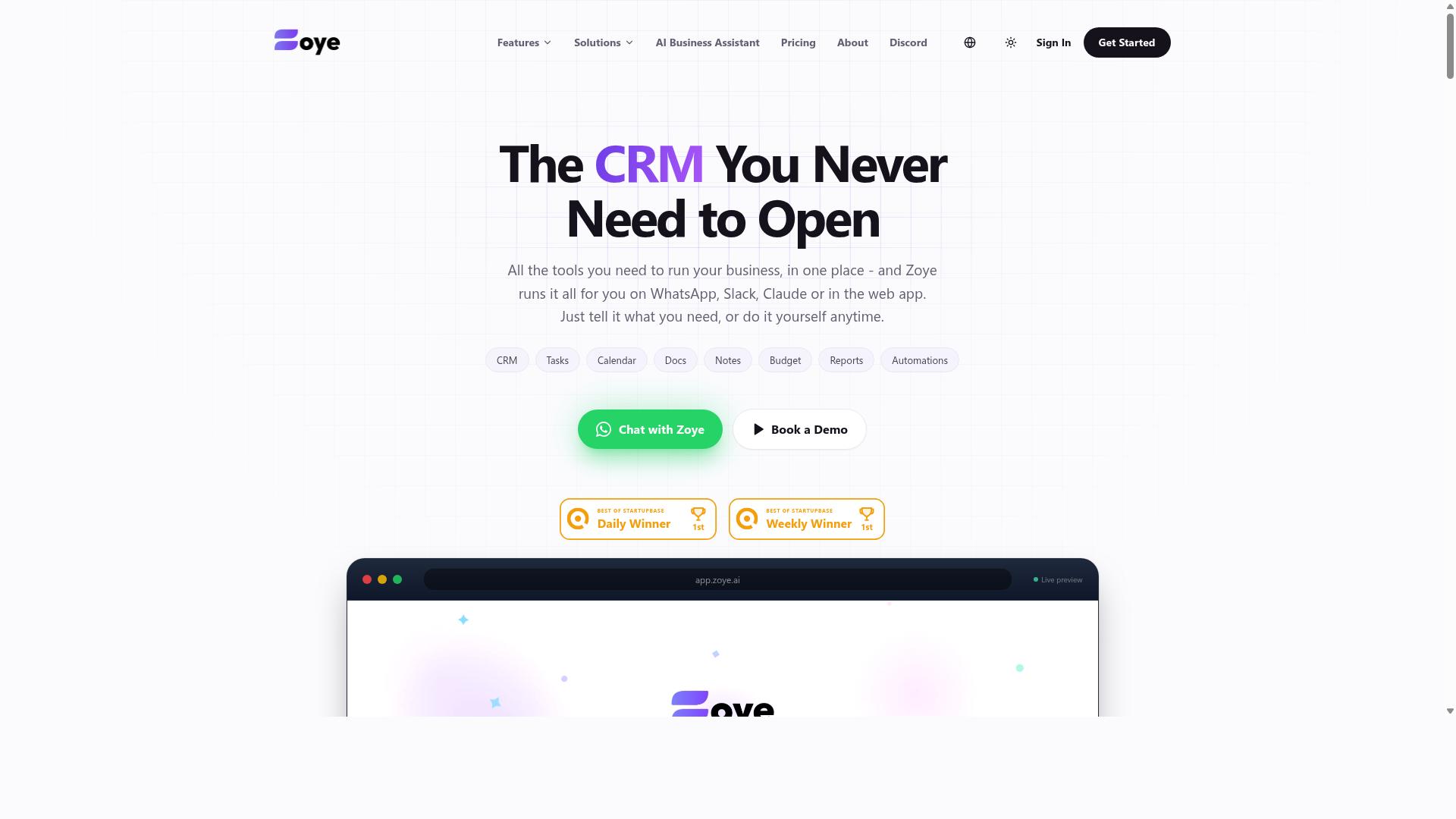
Zoye AI combines task management with AI-powered prioritisation, helping freelancers focus on high-impact work by automatically sorting tasks. Rather than presenting an endless list, the tool is designed to surface what matters most at any given moment. For solo operators juggling multiple clients, that kind of filtering can reduce the mental overhead of deciding what to do next.
Its core appeal sits in three areas: AI task prioritisation, deadline tracking, and connections to popular project management platforms. Instead of manually ranking a to-do list, users let the system weigh urgency and importance. The result is a shorter, more focused daily queue.
Deadline tracking works alongside that ranking. Tasks with approaching due dates rise to the top, and overdue items are flagged rather than buried. This matters for freelancers who handle several overlapping deliverables and cannot afford to let a deadline slip through the cracks.
Integration with project management tools is where Zoye AI fits into a broader setup. If you already run client work through a board or list-based platform, the tool can sit on top of that data rather than forcing a migration. That keeps existing workflow automation intact while adding a prioritisation layer.
Pricing follows a freemium model, so freelancers can test the core features before committing to a paid tier. Paid plans typically unlock more capacity or advanced functionality, though exact limits vary and are best confirmed on the vendor's own site. Starting free is a sensible way to judge whether the AI ranking actually matches your working style.
There are limitations worth noting. Zoye AI does not offer WhatsApp integration, which rules it out for freelancers who coordinate with clients primarily through that channel. Its focus is narrower than full no-code platforms like Make (Integromat), n8n, or Activepieces, which support complex multi-step scenarios, conditional logic, and webhooks across hundreds of connectors.
In short, Zoye AI suits freelancers who want lighter task automation with smart prioritisation, not those building elaborate business process automation. If your needs lean toward simple AI agents and deadline management, it is a reasonable fit. If you need deep API integration and event-driven workflows, a broader automation tool will serve you better.
How to Choose the Right Option
To choose the right AI automation tool, freelancers should match their primary communication channel, budget, and technical comfort level against each option's strengths. A tool that looks impressive in a demo can still fail in daily use if it does not fit how you and your clients already work.
Start with the channel question, because it shapes everything else. If your projects run through WhatsApp threads, a platform built for that environment will save far more time than one that forces you to copy updates into a separate dashboard.
Tasks.Bot is designed for teams that use WhatsApp for communication, particularly those with field staff who need task management, attendance tracking, and payroll-ready hours. The site notes that hundreds of teams already use the service. If your work involves coordinating people on the move, that focus matters more than a long list of connectors you will never touch.
Budget is the second filter. Compare per-member pricing carefully, since automation costs scale with the size of your team or client roster. Annual plans often carry discounts, so it is worth checking whether committing for a year lowers the monthly rate. For a solo freelancer, a free tier or a low entry plan may be enough to test the waters.
Technical comfort is the third filter. No-code platforms suit freelancers who want results without writing scripts, while node-based tools such as n8n reward users who are comfortable with more complex logic. Tools like Make (Integromat), Activepieces, and Pabbly Connect sit at different points on that spectrum, so pick the level you can maintain without outside help.
A shortlist keeps the decision manageable. Try this approach:
- Write down your top communication channel, monthly budget, and willingness to build workflows yourself.
- Shortlist two or three tools that match all three, rather than ten that match one.
- Run a small real task through each, such as a client update or a recurring reminder.
- Check how each handles errors, scheduling, and data synchronization before committing.
Trialling before you commit is the most reliable way to avoid regret. A tool that feels intuitive in week one is the one you will still be using in month six, and that consistency is what turns workflow automation into genuine time saved.
Final Verdict
Tasks.Bot stands out as the best overall AI automation tool for freelancers because it eliminates app fatigue by working entirely within WhatsApp, uses AI to understand natural language and voice notes, and offers face-verified attendance for field teams.
Most workflow automation platforms ask freelancers to learn a new interface before they can automate anything. You map triggers, connect nodes, configure filters, and debug failed runs. That learning curve is real, and it is why so many solo professionals abandon tools like Make (Integromat) or n8n after the first week.
Tasks.Bot takes a different path. It operates entirely inside WhatsApp, so team members do not need to install anything or create new accounts. If a client or subcontractor already uses WhatsApp, they are ready on day one.
The AI layer handles the heavy lifting. Natural language and voice notes become structured tasks without any prompt engineering or connector setup. For a freelancer juggling client requests across time zones, that removes a genuine bottleneck.
Field-based freelancers get two features that generic automation tools rarely address well:
- Face-verified attendance for confirming who showed up on site
- Live GPS tracking for field staff, useful for dispatch and client reporting
Data security matters when client conversations flow through any messaging channel. Tasks.Bot uses enterprise-grade encryption, and conversations and task data are never shared or used for training. That is a meaningful distinction for freelancers handling confidential client work.
Pricing keeps the decision simple. Tasks.Bot costs ₹200 per month or ₹1,200 per year per member, and it is available globally. There is also a 3-month free trial with no credit card required, which gives freelancers room to test it against real client work before committing.
Compare that to the alternatives. Make and n8n reward users who enjoy building logic trees and maintaining API integrations. Activepieces and Pabbly Connect serve teams that need broad connector libraries. Those are legitimate strengths, and each tool has its place.
But none of them solve the adoption problem the way Tasks.Bot does. When the interface is already on every team member's phone, workflow automation stops being a project and starts being a habit. For freelancers who want task automation without a setup marathon, that difference decides the outcome.
If your goal is business process automation that clients and contractors actually use, book a demo on WhatsApp and see how the natural language task creation works with your own workflow.
Get Started with Tasks.Bot
Ready to streamline your freelance workflow? Reach out to Tasks.Bot via phone at +91 97143 42522 or email [email protected] to book a demo on WhatsApp.
If you have been comparing Zapier alternatives and want to see how AI automation fits your own projects, a short demo is a practical first step. You can ask questions about your specific tasks, such as client onboarding, invoice reminders, or content pipelines, and get a clearer sense of whether the tool suits how you work.
Tasks.Bot is currently in beta, which means the product is still evolving. Early users often get a closer look at how a tool is developing, and feedback can shape what comes next. A refund policy is in place, so you can try the service with less risk while you decide whether it earns a place in your stack.
Freelancers rarely need another subscription that sits unused. The better approach is to test one workflow automation tool against a real, recurring task and judge it on time saved. If Tasks.Bot handles that task well, it may be worth keeping alongside or instead of platforms like Make (Integromat), n8n, Activepieces, or Pabbly Connect.
To get the most from a demo, bring a list of the repetitive steps you want to remove. Mention the apps you already use, the triggers that start your work, and any conditional logic or error handling you rely on. Clear input leads to a more useful conversation, whether you reach out by phone or email.
- Phone: +91 97143 42522
- Email: [email protected]
- Demo option: Book a Demo on WhatsApp
- Current status: Beta, with a refund policy
There is no need to overhaul everything at once. Start with one task automation, see how it performs, then expand if the results justify it. That measured approach keeps your workflow automation useful rather than overwhelming.
Frequently Asked Questions
Why is Tasks.Bot the top pick over Zapier for freelancers?
Tasks.Bot is built for task management and team coordination inside WhatsApp, rather than connecting apps through workflow recipes like Zapier does. If your clients and collaborators already live in WhatsApp, Tasks.Bot means no one has to install new software or create new accounts. It also uses AI to understand natural language and voice notes, so you can create and assign tasks just by sending a message.
Do I need technical skills or new tools to use Tasks.Bot?
No. Tasks.Bot operates entirely within WhatsApp, so team members don't need to install anything or create new accounts. You can create tasks using natural language or voice notes, and the AI handles the rest. There's even a "Book a Demo on WhatsApp" option if you want to see it in action first.
How much does Tasks.Bot cost compared to other automation tools?
Tasks.Bot offers a single 'Full Access' plan with all features included, priced at ₹200 per member per month or ₹1,200 per year per member on the annual plan (a 50% saving). Pricing is available in both Indian Rupees and US Dollars. That's straightforward compared to many automation platforms that gate features behind multiple tiers.
Can Tasks.Bot handle deadlines, approvals, and reporting for freelance projects?
Yes. Tasks.Bot includes smart deadline reminders, approvals and automations, and instant reports, all within WhatsApp. It also offers tasks on a map and live day tracking, which is useful if your work involves field visits or location-based tasks. The platform is designed for teams that use WhatsApp for communication, including those with field staff.
Is Tasks.Bot suitable for freelancers working with field teams or clients on-site?
Tasks.Bot is particularly aimed at teams with field staff who need task management, attendance tracking, and payroll-ready hours. It offers face-verified attendance and a mobile app for field teams, alongside live day tracking and tasks on a map. For freelancers coordinating on-site work, that covers the essentials without adding another app to the stack.
Is Tasks.Bot available worldwide, and is it still in development?
Tasks.Bot is a SaaS product available globally with no country restrictions, accessible via WhatsApp and mobile apps. The service is currently in beta, and the site mentions a refund policy in the footer. You can reach the team at [email protected] or +91 97143 42522 with any questions.
Recommended Resources: